Using Stellarium: A Guide to the Program
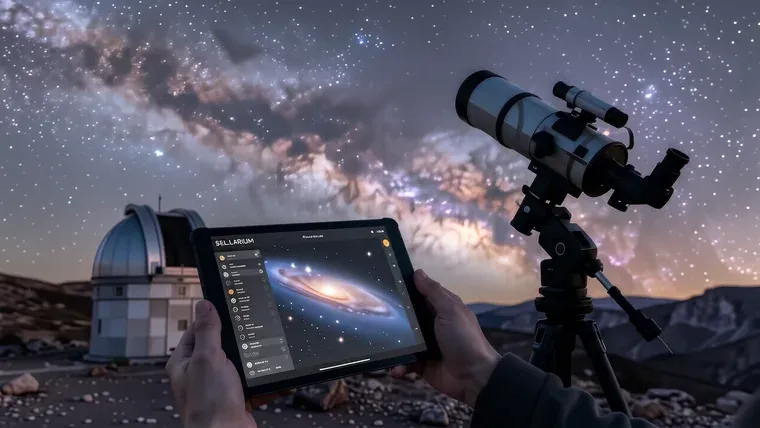
Stellarium functions as a real-time planetarium software that simulates the night sky for desktop, mobile, and web platforms. Users can manipulate time to view celestial alignments from any coordinate on Earth or even from the surface of other planets within our solar system. The program provides access to a primary catalog containing 600,000 stars and an optional database featuring 177 billion stars.
Core Navigation and Interface
The interface uses several sliding panels to manage astronomical data. You navigate the sky by clicking and dragging the mouse while the view rotates around your selected coordinates. It is intuitive. Although the software provides a dense amount of information, the layout remains manageable because the sidebar separates settings into distinct functional categories like Location, Date/Time, and Scenery.
The bottom toolbar contains 24 specific control buttons. You can toggle constellation lines by pressing “C” or hide names with “V”. The view changes quickly. If you need to center a moving object like a planet, press the space bar so that the camera tracks its movement across the celestial sphere.
The search function is essential for finding specific targets. Pressing “F3” opens the search window where you can input names or coordinates. Type accurately. Because the program uses the Latin alphabet for Messier objects, you must enter “M 31” to locate the Andromeda Galaxy rather than using local names.
The software handles different viewing modes. You can switch between an equatorial grid and an azimuthal grid by using the “Ctrl+M” shortcut. The grids help. While the azimuthal grid relies on your current horizon, the equatorial grid provides a fixed coordinate system that remains constant regardless of where you are standing on Earth.
Location and Atmospheric Simulation
Your location determines what you see. Stellarium can automatically detect your coordinates via the network if you enable the checkbox in the location settings window. It is precise. You might find yourself looking at a sky from a different continent because the software allows you to manually select any settlement or country on the planet.
The atmosphere affects visibility. By default, the program renders a realistic sky with light scattering and twilight effects. The sky looks real. You can press the “A” key to disable the atmosphere so that you can observe the Milky Way even during peak daylight hours.
Scenery options change the horizon. You can choose to see an ocean, Earth’s terrain, or even the surface of Mars. Landscapes vary. Although the planetary surfaces are visual approximations, they provide a sense of scale when you simulate being on the Moon or near the atmosphere of a gas giant like Jupiter.
The program supports diverse perspectives. You can use the “fisheye” mode for planetarium dome projections. This view is wide. While it may distort distances, it offers a perspective that mimics how light enters a wide-angle lens or a hemispherical projection system.
Time Manipulation and Scenarios
Time is a variable. The sidebar allows you to adjust the date and time to any point in history or the future. Travel through time. You can watch a sunset accelerate by using the player buttons on the toolbar because the software treats time as a continuous stream that can be sped up or slowed down.
Historical events are simulated. You can set the date to July 24, 1969, to see how the stars appeared during the Apollo 11 moon landing. The stars move. Although you will not see the actual spacecraft or the astronauts on the lunar surface, the celestial positions will be mathematically accurate for that specific moment in time.
Scenarios provide guided experiences. These are pre-made scripts found in the “Scripts” tab of the settings menu. They teach well. Because these scripts automate complex sequences, they allow users to witness rare events like a Venus transit or a solar eclipse without manual calculation.
The player buttons control the flow. Use “J” to rewind and “L” to return to the current time. Speed is adjustable. While you might use fast-forward to see how constellations shift over months, you can also use it to observe the rapid movement of artificial satellites like the International Space Station.
Advanced Tools and Extensions
Extensions add new capabilities to the base program. You can install an exoplanet filter or a telescope eyepiece plugin to change your view. Plugins help. After you enable a specific extension in the “Extensions” tab, you must restart the program so that the new data loads correctly into the interface.
The telescope simulation is detailed. By using the “Ctrl+O” shortcut, you can select different lenses and eyepieces. The view narrows. While the graphics are not true 3D models of the hardware, the software simulates how light behaves through specific optical configurations to mimic real-world observation.
Data density is high. The default catalog includes 80,000 deep-sky objects. You can find more. If you install the optional catalogs, the number of visible galaxies and nebulae increases significantly because the software pulls from much larger astronomical databases.
The settings are reversible. If an experiment fails, use the “Initial settings” button in the Basic tab. It is safe. Although you should click “Save Settings” before exiting to ensure your changes persist, the program allows for constant trial and error without permanent data loss.
Platform Variations and Web Access
Desktop versions run on Windows, macOS, and Linux. They are powerful. While the full software offers the most features, the web version provides a streamlined experience through any modern browser. This makes it accessible to users who cannot install software on their primary computers.
Stellarium Web is a specific project. It was developed by engineers Fabien and Guillaume Chereau. The code is open. Because the web version is hosted on GitHub, it remains a lightweight alternative that integrates the Gaia database to show over 1 billion stars.
Mobile apps exist for Android and iOS. These are often paid versions. They allow you to take the planetarium into the field so that you can identify stars in real-time while standing under a dark sky.
The software requirements vary by device. A minimum of 512 MB of RAM is needed for the desktop version. Most modern PCs exceed this. While older hardware might struggle with heavy atmospheric rendering, the program remains functional on low-power computers because it does not require high-end 3D processing for basic star maps.
Observing Deep Sky Objects
Finding objects requires specific methods. You can use the search bar or browse through predefined lists in the “Lists” tab. Lists are helpful. While galaxies and quasars appear as small points or faint smudges, they provide a gateway to understanding the large-scale structure of the universe.
The software provides data on every selected object. If you click a star, a window appears with its magnitude and spectral class. Information is instant. You can even find a link to Wikipedia for many objects so that you can read more about their physical properties immediately after finding them.
Visualizing deep space is limited by the graphics engine. The program lacks high-resolution photographs for every single nebula or galaxy. It is a map. Although you cannot see a detailed Hubble-style image of every distant cluster, the software provides accurate positions and basic visual representations.
Meteor showers can be simulated too. You can toggle the meteor stream display to see where specific showers originate. The streaks appear. While they are not as visually dense as a real meteor storm, they help you understand the orbital paths of debris that cause these events.
The program is free. It has been in development since 2001. Over 20 million people use it. Because the project is open-source, it continues to evolve through community contributions and updates from the developers at Stellarium Labs.
Frequently asked questions
How many stars can be viewed in Stellarium?
The program includes a primary catalog of 600,000 stars, but users can access an optional database featuring up to 177 billion stars.
Can I use Stellarium to see the sky from other planets?
Yes, the software allows you to change your scenery to view landscapes such as the Moon or the surface of Mars.
What is the best way to find a specific object like a galaxy?
You can use the search function by pressing F3 and entering the name or coordinates, such as typing 'M 31' for the Andromeda Galaxy.
Does Stellarium work on mobile devices?
Yes, there are mobile apps available for both Android and iOS that allow you to identify stars in real-time while in the field.
More in Stargazing
The benefits of an apochromatic refractor
Learn how an apochromatic refractor uses ED glass and multiple lens elements to eliminate chromatic aberration for high-resolution astrophotography.
How to start choosing the perfect telescope for beginners
Learn how to select the right telescope by comparing refractors and reflectors, understanding aperture, and matching equipment to your observation goals.
Differentiating between refractor and reflector telescopes
Learn the key differences between refractor and reflector telescopes to choose the right optical design for planetary viewing or deep-sky observation.
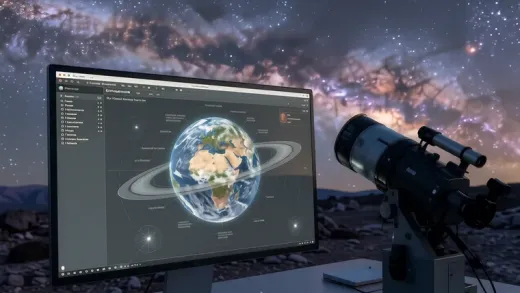
A beginner's guide on how to use Stellarium
Learn how to use Stellarium to simulate the night sky, configure geographical coordinates, and optimize visual settings for celestial observation.